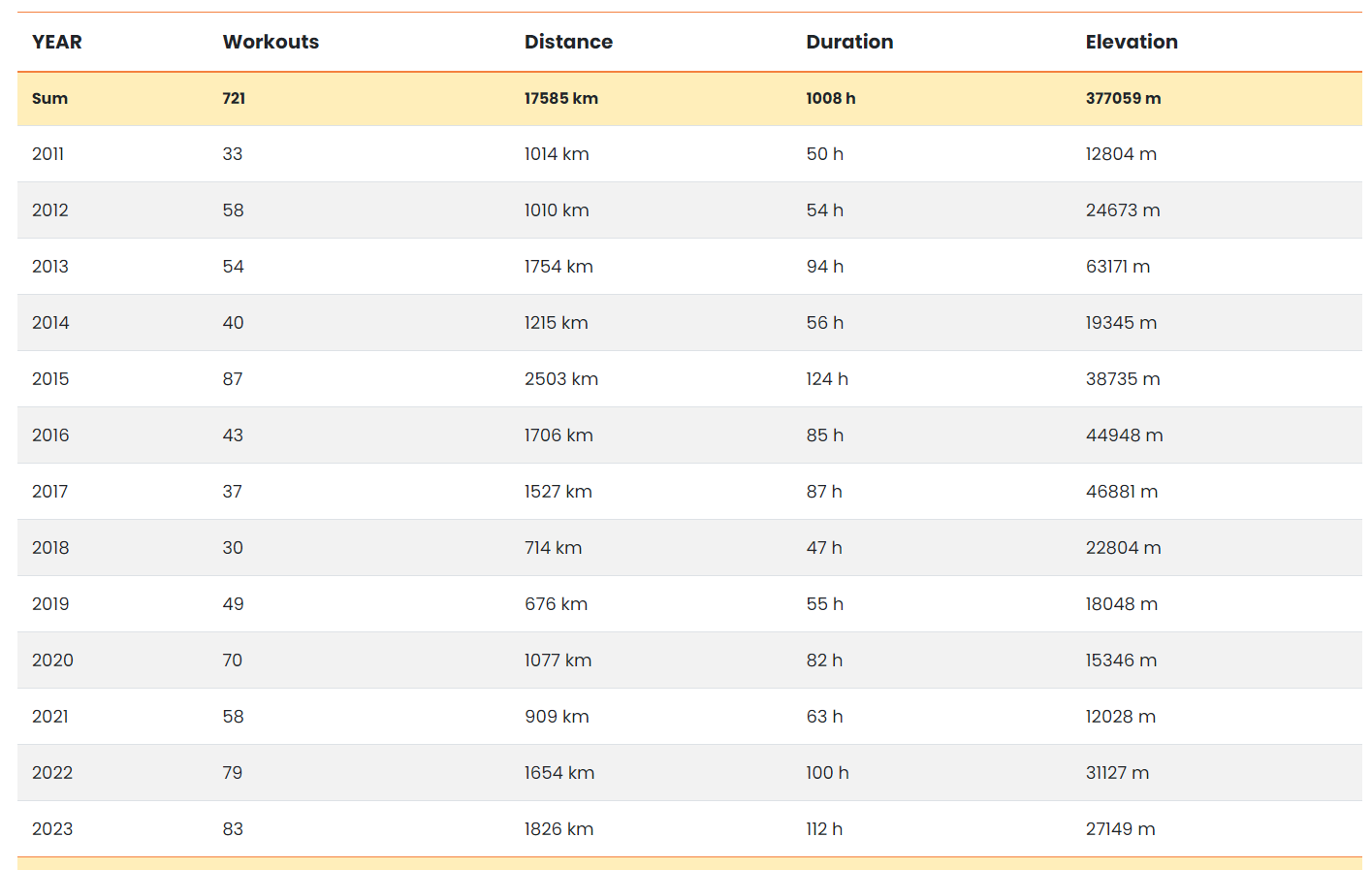
All-Time Strava Stats
Use the all-time view to explore Strava stats across every recorded year of activity. Compare long-term metrics such as distance traveled, elevation gain, number of workouts and total exercise time to understand how your training has changed over time.
These insights are presented through interactive graphs and detailed tables, making it easier to see your long-term progress at a glance. You can also use pie charts to review the sports you do most often and the equipment you rely on the most.
For deeper analysis, filter by specific equipment such as bikes or running shoes and compare performance trends across different setups.

Yearly Strava Reports
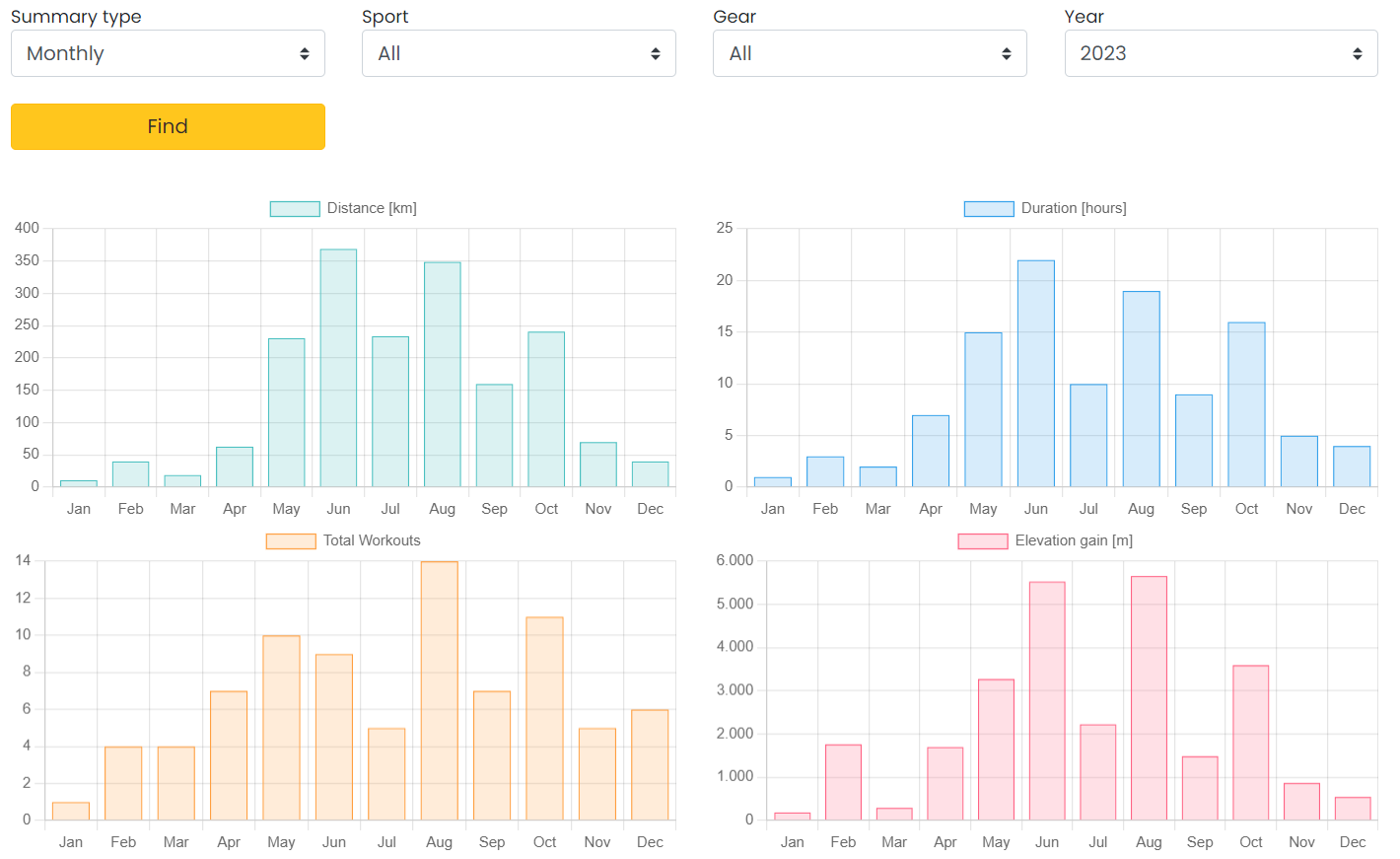
Use yearly reports to break your Strava data down month by month for a selected year. This makes it easier to review progress, compare seasons and see when your strongest training periods happened.
The same charts and tables from the all-time view are available here as well, but focused on a single year. You can filter by sport and year to concentrate on the metrics that matter most for your performance analysis.
You can also analyze activity trends month by month to see when cycling, running, hiking, skiing or other sports peak during the year. This gives you a clearer yearly Strava summary and helps with future training planning.
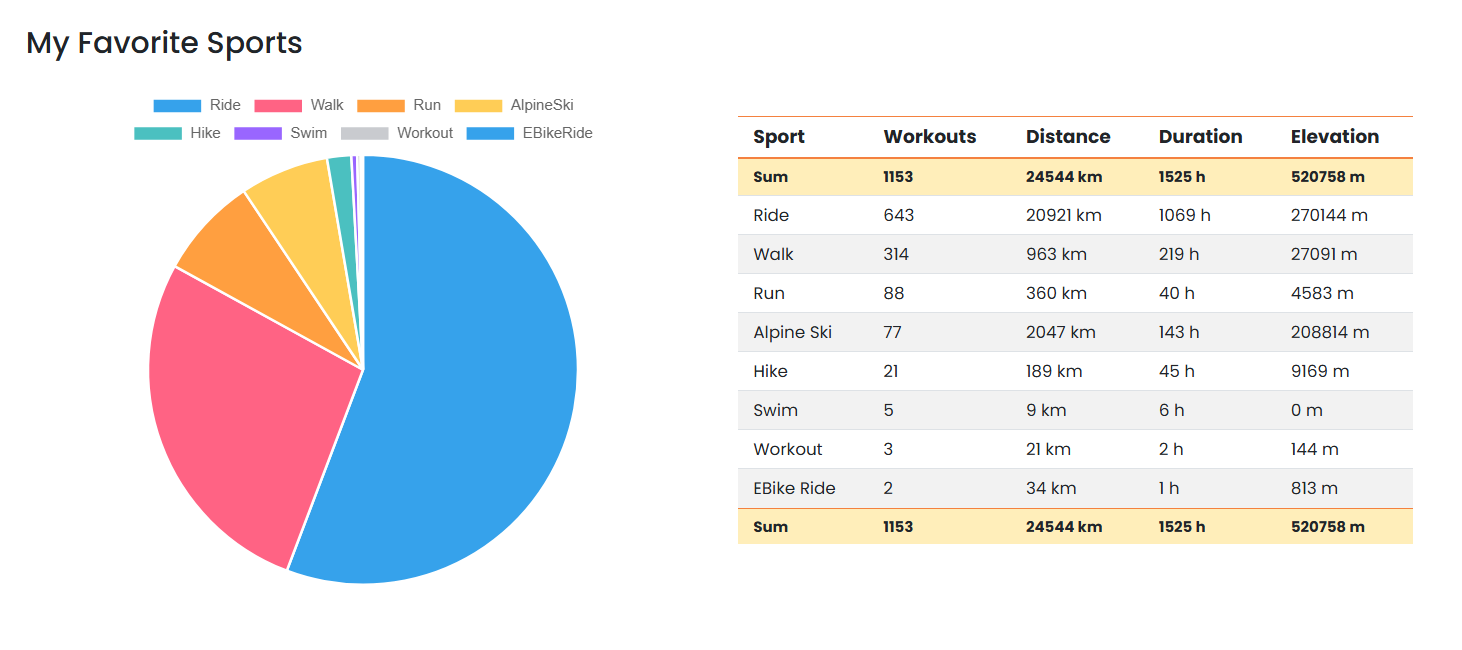
Your Favorite Sports in Strava
This report includes a pie chart of your most common sports in Strava, making it easy to see which activities dominate your training. Alongside the chart, a detailed table shows how much distance you covered in each sport, how much time you spent on it, and how many activities you completed.
The same sports breakdown is available across all-time, yearly and monthly reports, so you can compare how your training focus changes over longer periods and shorter blocks. It is a useful way to understand whether running, cycling, hiking, skiing or other sports are shaping your overall Strava profile.
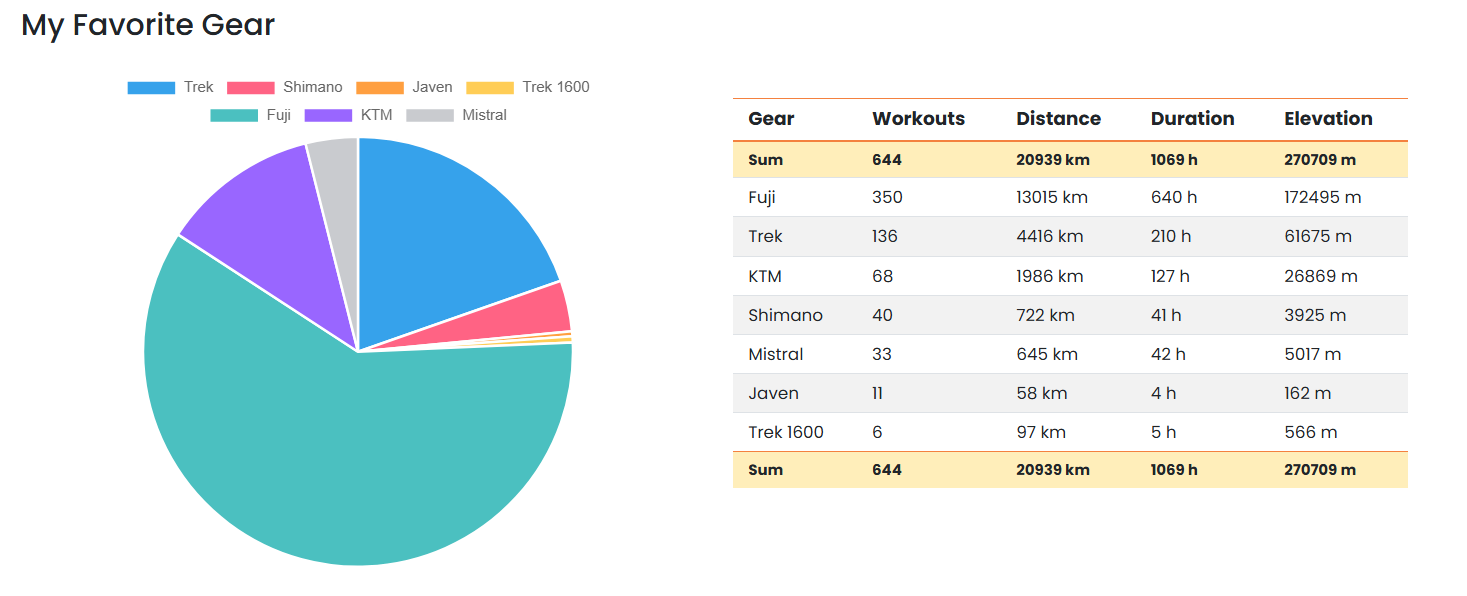
My Gear in Strava
The gear view also includes a pie chart showing how often each piece of equipment is used compared with the rest of your gear. This can include bikes, running shoes or other equipment linked to your Strava activities.
Next to the chart, a summary table shows the distance completed with each bike or pair of shoes, the total time spent using that gear, and the number of activities recorded with it. Just like the sports report, this Strava gear analysis is available in all-time, yearly and monthly reports, making it easier to compare equipment usage across every timeframe.
Distance Growth Compared Across Years
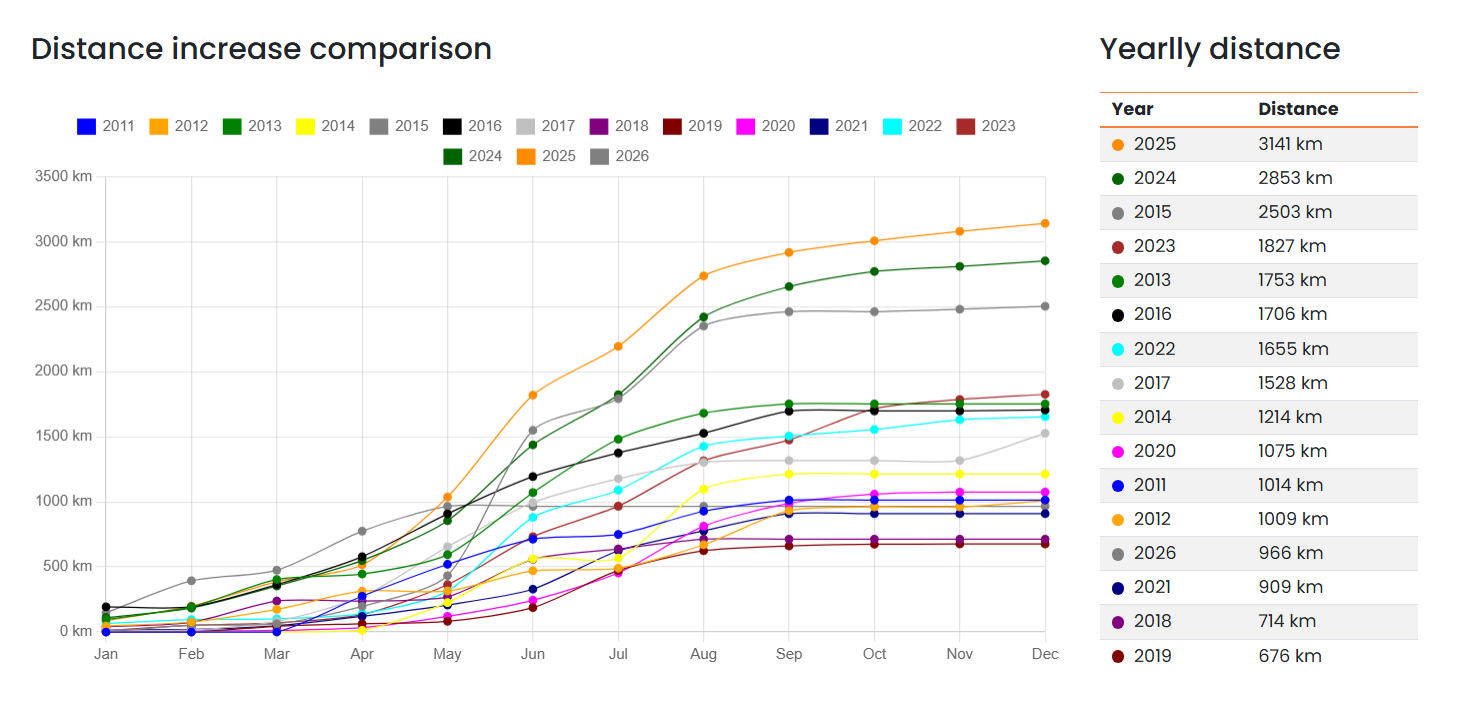
This chart shows how your distance grows month by month for each year, helping you compare seasons and spot the months when your activity rises the fastest. Steeper lines usually indicate periods of heavier training, while flatter periods reveal quieter parts of the year.
It is a clear way to see in which seasons you were most active and how your yearly mileage evolved over time. The graph also includes a supporting table with final yearly totals in kilometers or miles, giving you a complete multi-year Strava distance comparison inside the all-time report.
Summarized Strava Stats Across All Reports