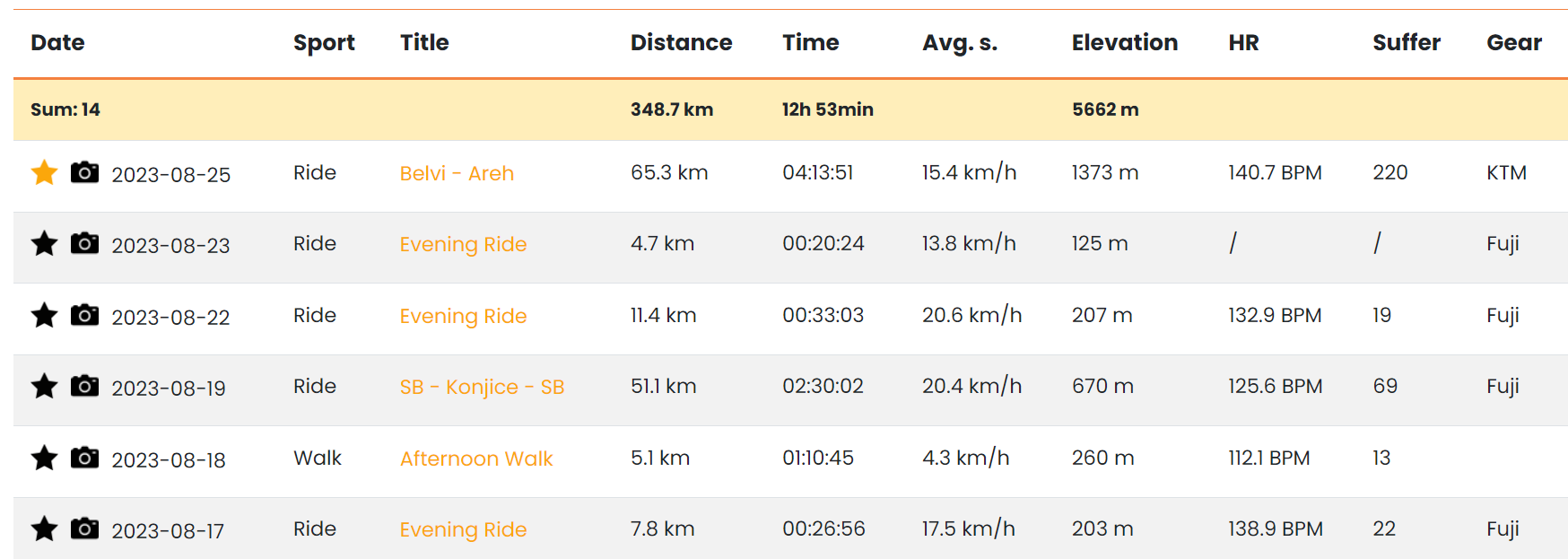
Strava Workout Analysis Tool
Analyze your Strava workouts with powerful filters, sorting options and detailed activity insights.
My Workout Companion helps cyclists, runners and other athletes review workout data by date, sport, distance, duration, heart rate, elevation and gear.
If you want a faster way to understand your training history, this page gives you a practical Strava workout analysis view built for everyday use.
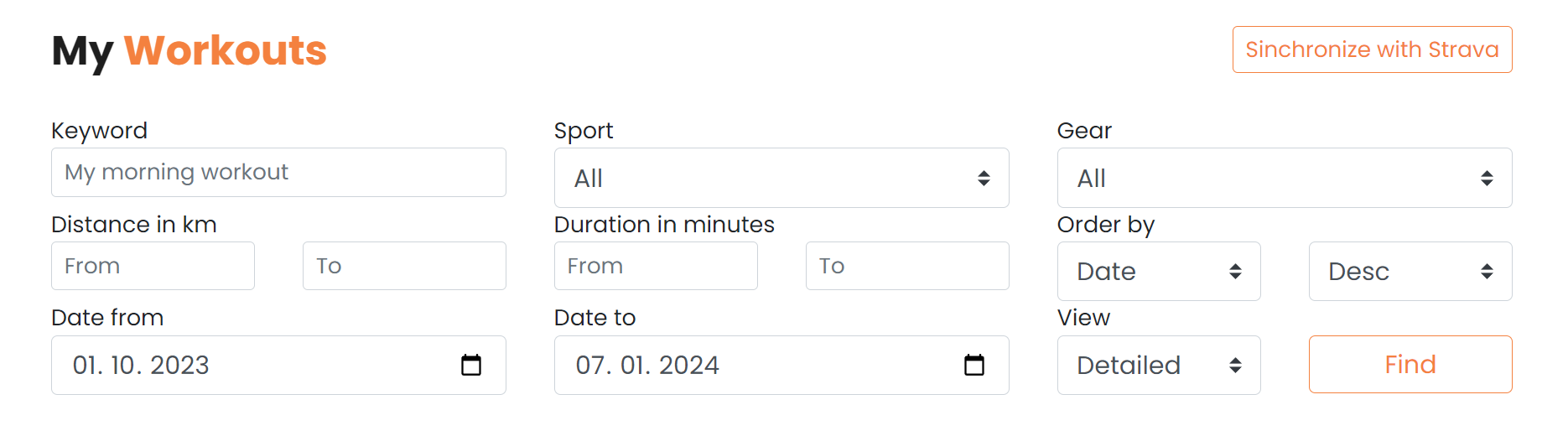
Strava Workout Filters
Use filters to review your workouts by activity name, date, sport, gear, distance and duration.
These Strava workout filters make it easier to narrow down your history and focus on specific training blocks, sports or equipment.
Instead of scrolling through everything, you can quickly isolate the sessions that matter for your analysis.
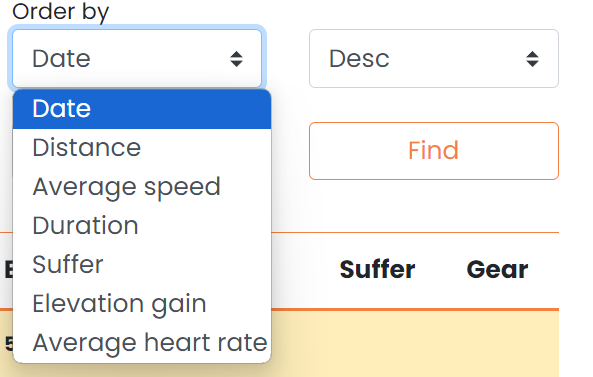
Sort Strava Workouts by Distance, Pace and Heart Rate
Sort results by date, exercise type, distance, activity duration, average heart rate, average speed, elevation gain and suffer score.
This makes it easier to compare efforts and find the workouts that stand out by pace, heart rate or climbing.
For anyone looking for a more practical Strava activity analysis, sorting is one of the fastest ways to surface useful patterns.
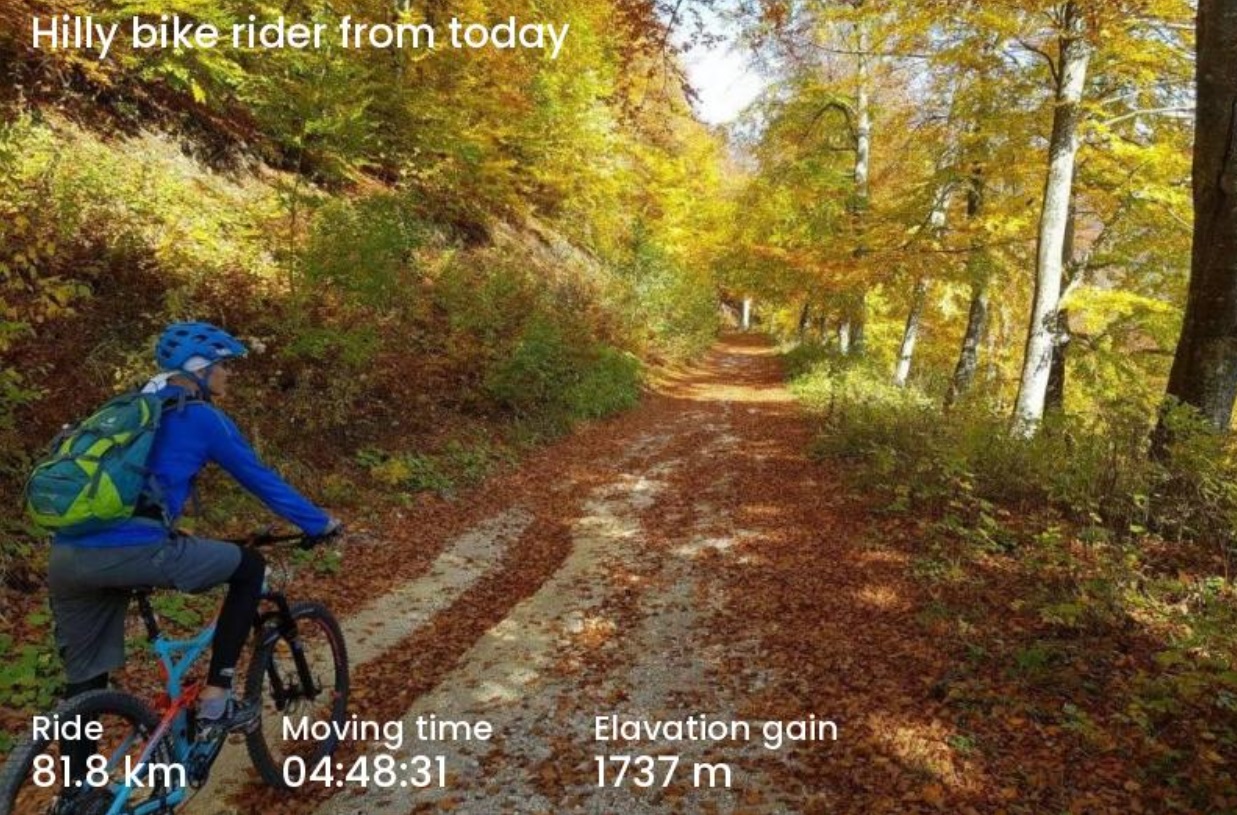
Favorite Activities and Watermarked Workout Photos
Mark your favorite activities so you can return to important workouts faster.
You can also generate watermarked workout photos with data from a selected activity, which is useful for sharing key performances.
These extras complement the main workout analysis view and make the page more useful beyond simple reporting.